






Disable MFA option for Microsoft Azure Entra and Intune Admin Centers is not available starting 15 October 2024
Let’s discuss the Disable MFA option for Microsoft Azure Entra and Intune Admin Centers, which is unavailable starting 15 October 2024. Beginning October 15, 2024, Microsoft will require mandatory Multi-Factor Authentication (MFA) for accessing Microsoft Azure, Entra, and Intune admin centers.
Microsoft is investing $20 billion to strengthen security in the next five years. As part of this effort, Microsoft will make MFA mandatory for all Azure sign-ins in 2024. Starting October 16, 2024, all users must use Multi-Factor Authentication (MFA) to access the Microsoft Entra, Intune, and Azure portals. Starting in early 2025, MFA will also be required for Azure PowerShell, CLI, tools, and the mobile app.
MFA adds an extra layer of protection by requiring users to verify their identity through multiple methods, such as entering a password and confirming a code sent to their phone. This change is designed to reduce the risk of unauthorized access and better protect sensitive information from potential cyber threats.
This post provides all the details about the new Multi-Factor Authentication (MFA) requirement for Microsoft Azure, Entra, and Intune admin centers. This change will help increase security by requiring an extra step for verification when signing in.

Table of Contents
What Services will be Affected by the MFA Requirement?
The MFA requirement will apply to services accessed through the Microsoft Azure portal, Microsoft Entra admin center, and Microsoft Intune admin center, including services like Windows 365 Cloud PC.
Disable MFA option for Microsoft Azure Entra and Intune Admin Centers is not available starting 15 October 2024
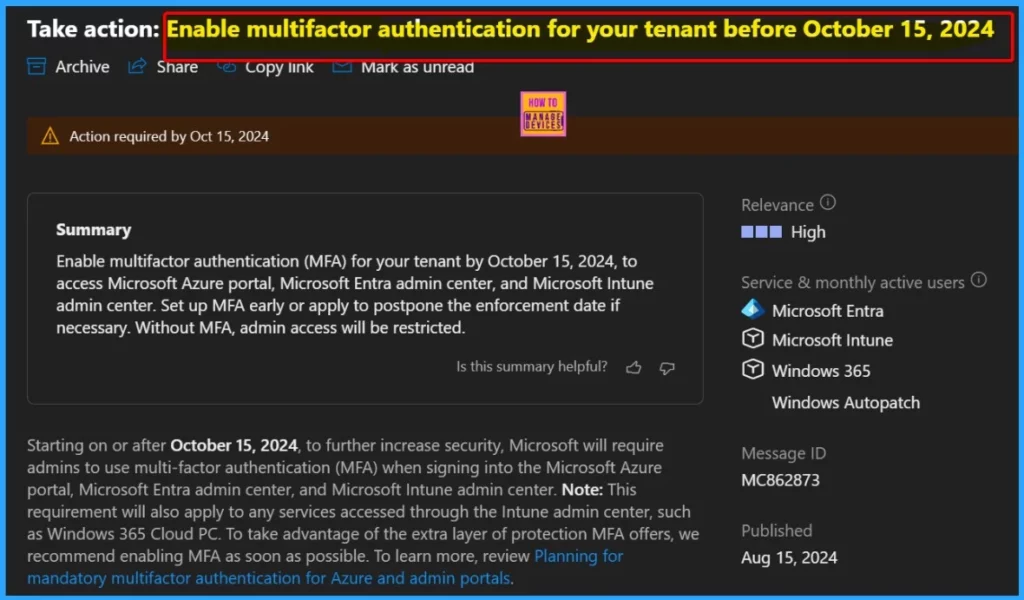
To enhance security, Microsoft will require multifactor authentication (MFA) to access the Microsoft Entra admin centre, Microsoft Azure portal and Microsoft Intune admin centre beginning in October 2024.
| Take action | Relevance | Service & Monthly Active User | Message ID |
|---|---|---|---|
| Enable multifactor authentication for your tenant | High | Microsoft Entra Microsoft Intune Windows 365 Windows Autopatch | MC862873 |
- Enable Microsoft MFA For Admins Using Azure AD Conditional Access
- Entra External ID Now Supports SMS as an MFA Option
- MFA Authentication now Added to WhatsApp
- Quick Guide To Enforce Multifactor Authentication MFA For Users
Preparing for MFA Requirement
Setting up Multi-Factor Authentication (MFA) before the October 15, 2024 deadline is essential. This will ensure a smooth transition to the new security requirement and maintain uninterrupted access for your admins.
| Preparing for MFA Requirement | Details |
|---|---|
| Set Up MFA | Ensure MFA is enabled for your tenant before October 15, 2024, to allow admins uninterrupted access to the admin centers. |
| Postpone Enforcement | If unable to set up MFA by the deadline, you can apply to postpone the enforcement date. |
| MFA Registration Prompt | If MFA is not set up by the enforcement date, admins will be prompted to register for MFA during their next sign-in. |
Microsoft Entra
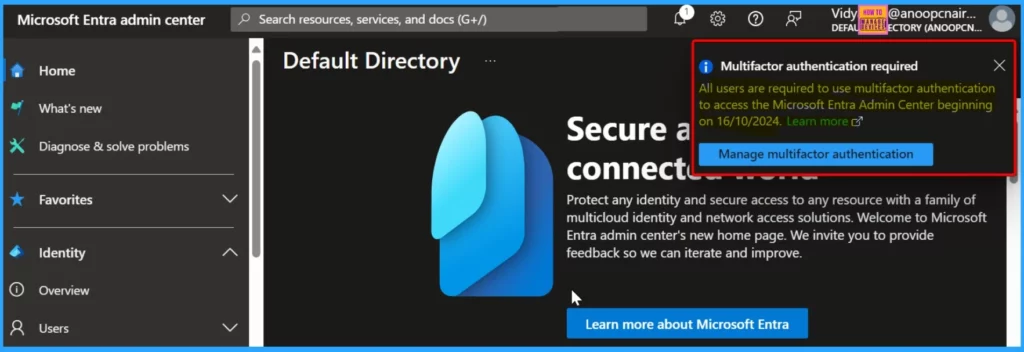
Starting October 16, 2024, all users must use Multi-Factor Authentication (MFA) to access the Microsoft Entra Admin center. MFA will be a required security measure for logging into the Microsoft Entra Admin center. It adds an extra layer of protection by requiring users to verify their identity through a second factor, such as a code sent to their mobile device or an authentication app.
Microsoft Intune
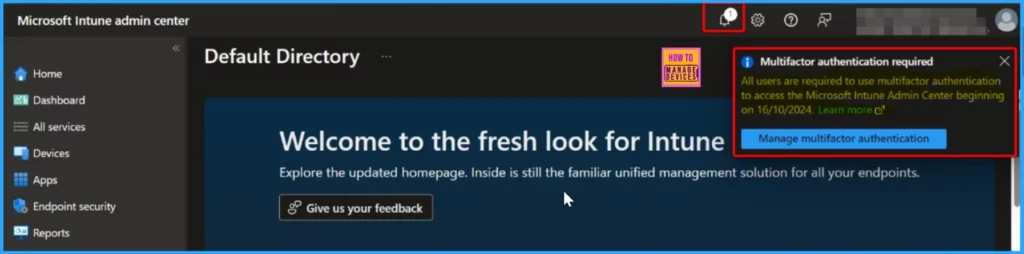
All users must use multi-factor authentication (MFA) to access the Microsoft Intune Admin Center. Without MFA, access to the admin center will be restricted, so enabling and configuring it beforehand is essential to avoid any disruption in managing your organization’s devices and applications.
- Modernize MFA Authentication Policies in Entra ID
- Now Use Mobile Outlook App as MFA Authenticator App
- Easiest Method to Enable MFA for Admins using Azure AD Conditional Access
Azure Portal
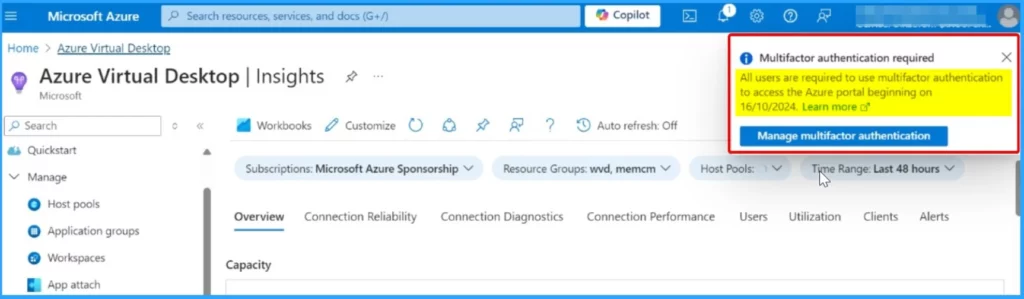
The window below displays the Microsoft Azure portal, along with a notification indicating that starting on October 16, 2024, all users will be required to use multi-factor authentication (MFA) to access the Azure portal. This new security measure is mandatory to ensure enhanced protection of accounts and sensitive information within the Azure environment.
We are on WhatsApp now. To get the latest step-by-step guides, news, and updates, Join our Channel. Click here. HTMD WhatsApp.
Author
Anoop C Nair has been Microsoft MVP from 2015 onwards for 10 consecutive years! He is a Workplace Solution Architect with more than 22+ years of experience in Workplace technologies. He is also a Blogger, Speaker, and Local User Group Community leader. His primary focus is on Device Management technologies like SCCM and Intune. He writes about technologies like Intune, SCCM, Windows, Cloud PC, Windows, Entra, Microsoft Security, Career, etc.




Discussion