






Unified Teams App Launches on All Platforms Windows and Mac
We are discussing a new topic: Microsoft Teams App Launches on All Platforms. Microsoft recently announced a unified Teams app experience on all platforms. We all know how essential Teams are nowadays. As we all know, it is a widely used collaborative platform for organizations.
Microsoft Teams is the ultimate messaging app for organizations and workspaces. It facilitates real-time collaboration, communication, meetings, and more. On August 20, 2024, Microsoft recently released a unified Teams app that integrates work, personal, and education accounts into a single platform.
Before this update, users had to use different Teams apps for work and personal use, which was challenging and confusing. Microsoft has introduced an all-in-one solution to easily manage multiple Windows 11, 10, and Mac accounts.
By launching the unified Teams App, which launches work, personal, and education accounts into a single platform, Microsoft has created a more efficient and user-friendly experience. This new enhancement not only saves time but also enhances productivity. In this post, we can check the latest changes in MS Teams.

Table of Contents
What are the Benefits of the New Teams App?
Unified Teams App Launches on All Platforms
Above, we discussed the recent announcement of Microsoft Teams. Microsoft has launched a single Teams app that supports personal, work, and education accounts, replacing the need for separate desktop apps. There were two Teams apps on Windows 11, one for Work or Education and another for personal use.
- This new change will reduce the effort to maintain 2 apps.
- The unified Teams app is now available on Windows 11, 10, and Mac.
- How to Enable Optimize Video Option in Microsoft Teams Screen Sharing Feature
- Enable Disable MS Teams Notify When Available Settings
- Windows 365 Cloud PC Gallery Images Pre-Install New Microsoft Teams
- Drag Teams Presenter Toolbar during Screen Sharing Frustrating Experience is Going to End Soon
Switching to Multiple Accounts
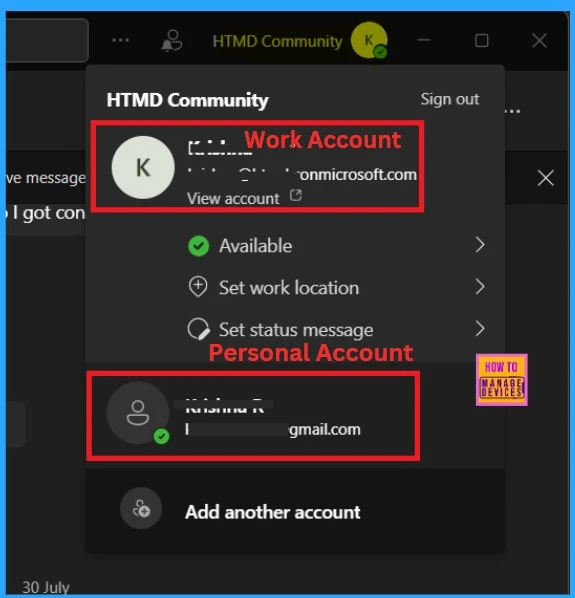
The best enhancement in this new update is that users can now switch to multiple accounts. Teams can now be used as an all-in-one account for Work, education, and personal use. Users can easily manage multiple accounts by switching between work, individual, and education accounts without logging in and out.
- Below is the screenshot of an example of Switching to Multiple Accounts.
- You must click the profile picture to switch between work, personal, and education accounts without logging in and out.
- Or you can add another account.
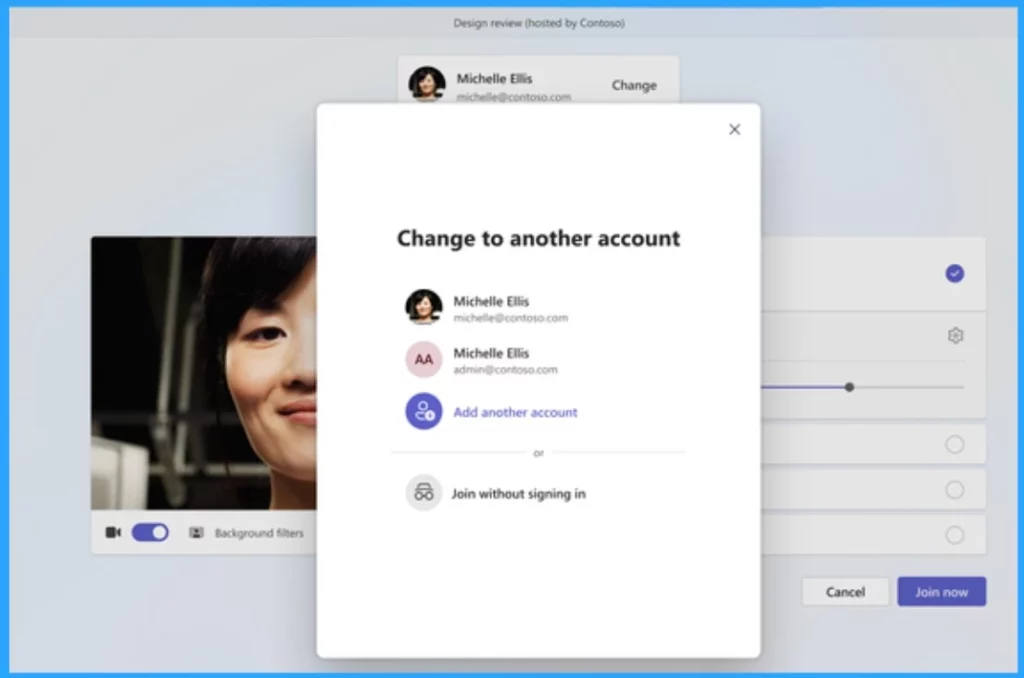
If you have multiple Teams accounts, choosing which one to use when joining a meeting is easy. You can also join as a guest without signing in. Whether for work or school-related, select the account you want to use when you join the meeting.
- Microsoft Classic Teams Reaching to End of Life
- New Banner Notification on Teams Classic Client
- Now Get Microsoft Teams Meetings Shortcut Directly from Start Menu
- File App Experience in Microsoft Teams
Free Meetings
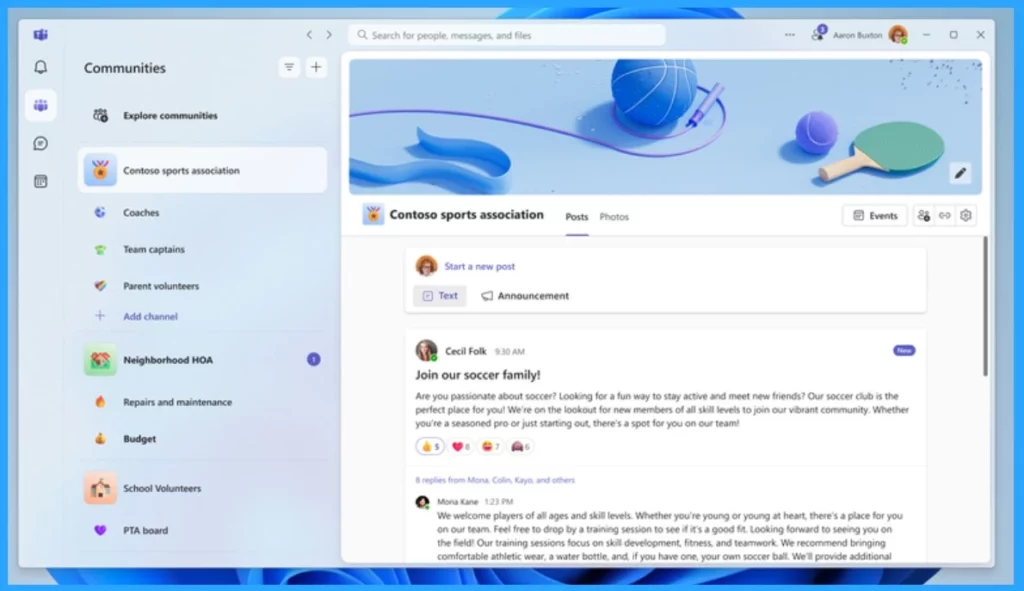
This new update allows you to schedule free meetings and invite people using a simple join link. You can also easily create communities. After months of testing, the latest Microsoft Teams app is rolling out. It ends the confusing setup on a PC where you had to use multiple apps for personal and professional use.
| Features of Teams for Personal use | Info |
|---|---|
| Free Meetings | You can now schedule free meetings and invite participants using a simple join link. |
| File Sharing | You can now Share files and photos easily within your community or during meetings. |
| Communities | Now, you can create a community to bring your group together, such as your fantasy football league or your school’s parent organization. |
We are on WhatsApp now. To get the latest step-by-step guides, news, and updates, Join our Channel. Click here. HTMD WhatsApp.
Author
Anoop C Nair has been Microsoft MVP from 2015 onwards for 10 consecutive years! He is a Workplace Solution Architect with more than 22+ years of experience in Workplace technologies. He is also a Blogger, Speaker, and Local User Group Community leader. His primary focus is on Device Management technologies like SCCM and Intune. He writes about technologies like Intune, SCCM, Windows, Cloud PC, Windows, Entra, Microsoft Security, Career, etc.




Discussion