






Upgrade MS Teams Rooms to Windows 11 by October 14 2025 for Enhanced Features and Security
Let’s discuss Upgrade MS Teams Rooms to Windows 11 by October 14 2025 for Enhanced Features and Security. Microsoft already announced the end of support for new versions of Windows 10 last year.
From October 14, 2025, Teams Rooms on Windows 10 devices will no longer receive security and feature updates. Therefore, upgrading to a higher version of Windows 10 is essential. After upgrading to Windows 11, you can enjoy the latest productivity, security, and management features.
Teams Rooms on Windows 10 is a specialized application that transforms meeting rooms into collaborative spaces. It integrates with Microsoft Teams to provide a seamless meeting experience. However, on October 14, 2025, you cannot use Teams Rooms on Windows 10.
In this blog post, I will share some major points regarding Windows 10. As we approach the end of support for Windows 10 on Teams Rooms, Microsoft wants to offer a clear path forward for this critical infrastructure in your organization.

Table of Contents

What are the Features of Teams Room?
1. It ensures clear communication during meetings
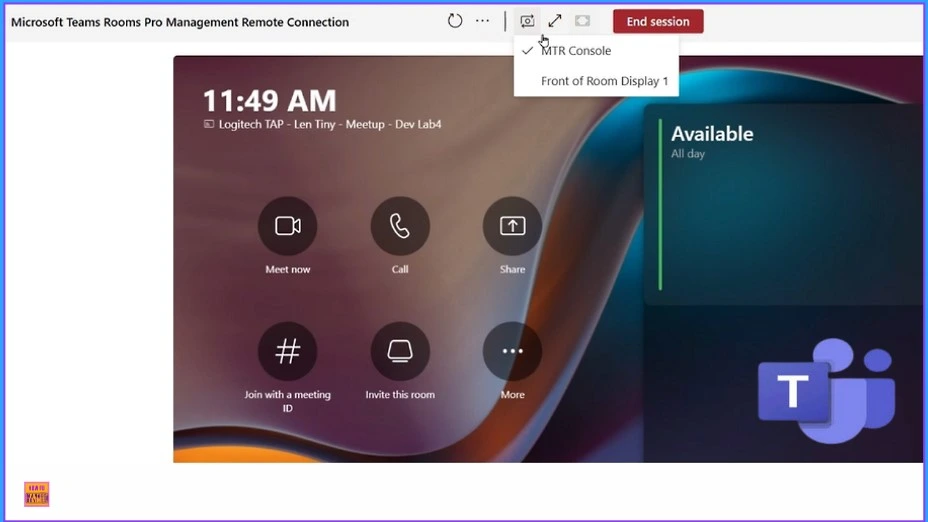
2. Supports remote management
3. It provide High-Quality Audio and Video
4. Provides intuitive controls for managing meetings
Upgrade MS Teams Rooms to Windows 11 by October 14 2025 for Enhanced Features and Security
As mentioned above, there are only 8 months left until the End of Support. So administrators should take the initiative to upgrade Windows 10 devices to Windows 11. I don’t need to explain the importance of security and feature updates.
- Free Generic Windows 10 Product Keys from Microsoft
- Windows 10 21H2 Support is Ending in June
New feature Join Microsoft Teams Rooms with Meeting ID and Passcode on Windows - Big Changes in Microsoft Teams App Chats Teams and Channels moving into one place under Chat
Changes Happened During the Transitional Period
During this transitional period, Teams Rooms and Teams Rooms Pro Management software will continue to support and test the latest Teams Rooms app on Windows 10 22H2 (version 10.0.19045) until October 14, 2025. Support and updates for the Teams Rooms apps on Windows 10 will end after this date.
To identify which devices need an upgrade or replacement, you must utilize the Teams Rooms Pro Management Room Inventory export or the Windows 11 readiness checker.
Devices Cannot be Upgraded to Windows 11
Most Teams Rooms devices running Windows 10 have been automatically upgraded to Windows 11. However, certain certified devices cannot be upgraded and must be replaced. The following table shows certified devices that cannot be upgraded or replaced.
| Cerified Devices |
|---|
| Lenovo Hub 500 (i5-7500T) |
| HP Slice G2 (i5-7500T) |
| HP Elite Slice (i5-7500T) |
| Yealink NUC – NUC7i5DNKE (i5-7300U) |
| Crestron Skull Canyon (i7-6770HQ) |
Resource
Windows 10 end of support for Teams Rooms on Windows
Need Further Assistance or Have Technical Questions?
Join the LinkedIn Page and Telegram group to get the latest step-by-step guides and news updates. Join our Meetup Page to participate in User group meetings. Also, Join the WhatsApp Community to get the latest news on Microsoft Technologies. We are there on Reddit as well.
Author
Anoop C Nair has been Microsoft MVP from 2015 onwards for 10 consecutive years! He is a Workplace Solution Architect with more than 22+ years of experience in Workplace technologies. He is also a Blogger, Speaker, and Local User Group Community leader. His primary focus is on Device Management technologies like SCCM and Intune. He writes about technologies like Intune, SCCM, Windows, Cloud PC, Windows, Entra, Microsoft Security, Career, etc.




Discussion